
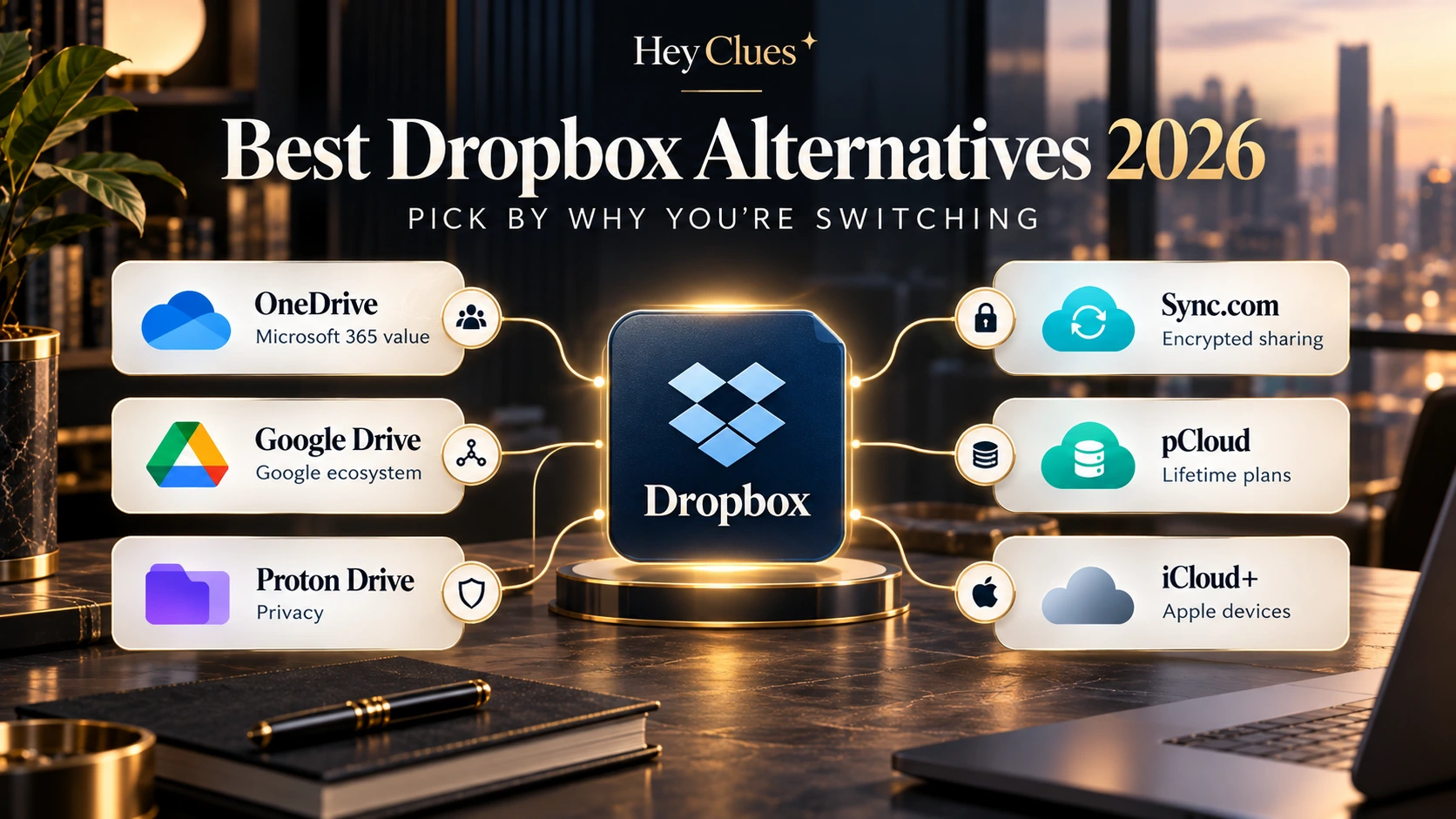
The best Dropbox alternatives for you depend on why you want to leave Dropbox.
If you already pay for Microsoft 365, OneDrive may be enough. If your work revolves around Google Docs and Gmail, Google Drive may fit better. If privacy is the problem, Proton Drive or Sync.com deserve more attention. And if recurring subscriptions are what bother you, pCloud’s Lifetime plans change the calculation.
If Dropbox already works well for you, staying may still make more sense than switching. This guide matches the main reasons for leaving Dropbox with alternatives that address those specific problems.
Prices checked: 28 September 2026. US prices are used as the main reference where stated. Local pricing, taxes, promotions and availability can vary.
Affiliate disclosure: HeyClues may earn a commission if you purchase or sign up through affiliate links in this article. This does not influence our editorial recommendations. Final pricing, availability and eligibility are determined by the respective providers.
Best Dropbox alternatives by reason for switching
| Why you’re considering leaving | Consider | Main trade-off |
|---|---|---|
| You already pay for Microsoft 365 | OneDrive | Family storage is 1 TB per person, not one large pool |
| Your work revolves around Google | Google Drive / Google One | Not a zero-knowledge privacy upgrade |
| Privacy is your main concern | Proton Drive | Smaller conventional productivity ecosystem |
| You want encrypted storage with familiar sharing | Sync.com | Weaker Linux support than Dropbox |
| You want Lifetime storage or Linux support | pCloud | Zero-knowledge encryption is separate |
| You mostly use Apple devices | iCloud+ | Less attractive in mixed-platform households |
| Dropbox already does the job | Stay with Dropbox | Could cost more than storage you already have elsewhere. |
Before switching, check the C.L.U.E.S.
C — Cost & commitment
Compare what you will actually pay over time, including annual billing, promotions, renewal prices and subscriptions you already have.
A cheaper headline price does not automatically mean better value.
L — Lock-in & migration
Your files may be easy to copy, but shared links, permissions and version history may not transfer with them.
If other people rely on your Dropbox setup, migration deserves more attention than storage capacity alone.
U — User setup
Consider how many people need storage and which devices they use.
A shared 2 TB pool is very different from six separate 1 TB allowances, and an Apple-only household has different needs from one using Windows, Android and Linux.
E — Encryption
The useful privacy question is not simply whether a provider uses encryption.
Ask who controls the keys needed to read your files and whether stronger protection applies to all files or only certain features or folders.
S — Sync & sharing
Check desktop support, selective sync, online-only files, offline access and sharing.
A Dropbox replacement should suit the way you actually use your files, not just offer enough storage.
What Dropbox currently gives you
Dropbox Basic includes 2 GB of storage. Dropbox Plus provides 2 TB for one person, while Dropbox Family provides 2 TB shared among up to six members.
On the US pricing route checked for this article, Plus was listed at US$11.99/month when billed monthly, or US$9.99/month equivalent on annual billing.
Dropbox also provides selective sync and official desktop applications for Windows, macOS and Linux. One limitation for Linux users is that online-only functionality is not available there.
For consumer storage, Dropbox encrypts files in transit and at rest, but its standard consumer plans are not built around default zero-knowledge storage.
For more on annual billing, renewals and regional pricing, see Software Subscription Pricing: How to Compare the Real Cost.
Already paying for Microsoft 365? Consider OneDrive
If Microsoft 365 is already on your bill, check OneDrive before paying separately for Dropbox.
Microsoft 365 Personal includes 1 TB of OneDrive storage.
Microsoft 365 Family provides up to 6 TB in total, but that means 1 TB for each of up to six people rather than one shared 6 TB account. The US annual price checked for Family was US$129.99.
That can be strong value if you also use Word, Excel, PowerPoint and the other Microsoft 365 applications.
Microsoft also provides a Dropbox-to-OneDrive import option, although sharing settings and some Dropbox-specific content may not transfer.
Best for: Microsoft 365 subscribers and Windows-heavy households.
Think twice if: You need an official Linux desktop client or one person needs substantially more than 1 TB.
Already live in Google? Consider Google Drive
Google Drive makes most sense when Gmail, Google Docs, Sheets, Photos and other Google services already form most of your workflow.
Google accounts include 15 GB of storage, while paid Google One plans increase that allowance and can support family sharing.
The storage is shared across services such as Drive, Gmail and Photos, so the full allowance is not necessarily available only for files.
Google Drive for desktop also supports streaming files from the cloud or mirroring them locally for offline access.
Its main platform limitation compared with Dropbox is Linux: Google’s official Drive for desktop application currently supports Windows and macOS, but not Linux.
Normal consumer Google Drive storage is not zero-knowledge storage.
Best for: People already heavily invested in Google’s ecosystem.
Think twice if: Linux desktop support or provider-independent file encryption is the reason you want to leave Dropbox.
Leaving mainly for privacy? Consider Proton Drive
Proton Drive is the most relevant option here when your main concern is who can access your stored data.
Proton uses end-to-end encryption for Drive data, including file contents, filenames and folder names. Proton says it cannot decrypt those protected files.
The wider Drive product has also expanded with tools such as Docs and Sheets.
For Linux users, Proton now provides command-line Drive access while continuing work on a fuller graphical application.
That does not make Proton a direct copy of Dropbox. Dropbox still has a more established conventional desktop-sync ecosystem and broader integrations.
Best for: Readers prioritising privacy over ecosystem convenience.
Think twice if: Microsoft- or Google-style collaboration matters more to you than the encryption model.
Want private storage with familiar sharing? Consider Sync.com
Sync.com sits between privacy-focused storage and a more conventional Dropbox-style workflow.
Its service is built around end-to-end encrypted storage while still supporting shared folders and file links.
Sync.com’s individual plans and promotions can change, so verify the current plan and renewal price before subscribing.
The largest practical limitation for some readers is platform support. Dropbox remains a stronger documented option for Linux desktop use.
Best for: Privacy-conscious users who still want familiar file sharing.
Think twice if: Linux desktop support is essential.
Want Lifetime storage? Consider pCloud
pCloud is the most distinctive alternative if your main objection to Dropbox is paying every year indefinitely.
Alongside annual plans, pCloud sells Lifetime storage for a larger one-time payment.
Its 2 TB annual Premium Plus plan was listed at US$99.99/year during our research.
Official pCloud pages showed both US$399 and US$499 for the 2 TB Lifetime plan when checked. Use the checkout price shown to you when comparing value. Against the US$99.99 annual plan, that gives a simple break-even of roughly four to five years. Compare current pCloud plans.
For a deeper look at that calculation, see our pCloud Review 2026: Is the Lifetime Plan Worth It?
pCloud also has an official Linux desktop application and can import data from Dropbox.
One privacy distinction is important: pCloud’s client-side zero-knowledge protection is provided through its separate Crypto Folder, rather than automatically applying that model to all standard storage.
Best for: Long-term users who want Lifetime storage or solid Linux support.
Think twice if: You want end-to-end or zero-knowledge protection to apply by default across your normal storage.
Mostly use Apple devices? Consider iCloud+
If your household is already centred on iPhone, iPad and Mac, you may already be paying for much of the cloud storage you need.
iCloud+ offers paid tiers including 2 TB and higher capacities, with Family Sharing available.
The US price for 2 TB was US$9.99/month when checked for this article.
For Apple-heavy households, the main advantage is integration with Photos, device backups and the wider Apple ecosystem rather than simply beating Dropbox on storage price.
There is, however, an important regional privacy difference.
Apple’s Advanced Data Protection can extend end-to-end encryption to more iCloud data, but new UK users cannot enable it. Some sharing and collaboration scenarios also remain outside its strongest protection.
iCloud+ therefore should not be treated as the same privacy proposition in every country.
Best for: Households primarily using Apple devices.
Think twice if: Windows, Android or Linux are equally important in your setup.
What if family storage is the real problem?
Family storage structures vary: Dropbox uses a shared pool, while Microsoft 365 allocates storage per person and other providers use different sharing models.
If family storage is your main reason for considering a switch, see our Best Cloud Storage for Families 2026 comparison rather than choosing from this article alone.
How to leave Dropbox without making a mess
Before cancelling Dropbox:
- Check your important shared folders and public links.
- Make sure online-only files you need can be transferred.
- Move a small test folder first.
- Open the copied files from another device and verify important sharing and permissions.
- Keep Dropbox active until you have confirmed the migration.
Version history, comments, links and some collaboration information may not transfer with the files.
Final verdict
Start with the problem you are trying to solve, not the provider. The strongest reasons to leave Dropbox are eliminating a duplicate subscription, changing the privacy model, finding a better platform fit or moving away from recurring storage payments.
If an alternative clearly solves one of those problems, switching may make sense. If Dropbox already works well and none of the alternatives fixes a meaningful issue, the migration may not be worth it.
The right Dropbox alternative is the one that solves the problem that made you want to leave in the first place.
Look Closer. Choose Smarter.